


Description
Download Duplicate Sweeper – Free Trial for Windows, Secure File Management Tool
Duplicate Sweeper by Wide Angle Software Ltd. is a powerful yet lightweight file management tool designed to help users identify and manage duplicate files on their Windows systems. With a clean interface and intuitive design, this software offers a seamless experience for both beginners and advanced users. The trial version allows you to scan your drives, preview potential duplicates, and analyze file details—but it restricts the deletion of files, making it ideal for testing the software’s accuracy before upgrading. With over 25,000 downloads from Softonic and compatibility with Windows 7 and later, Duplicate Sweeper has proven its reliability in the digital cleanup space. Whether you're organizing personal photos, managing project folders, or freeing up disk space, this tool helps you reclaim valuable storage with minimal effort. The latest version, 1.90, is just 2.4 MB in size, ensuring fast installation and low system resource usage. Available in English only, the software provides a secure and efficient way to detect duplicates across multiple file types, including images, documents, and videos. For users seeking a free, no-frills solution to cluttered drives, Duplicate Sweeper is a strong contender in the file management category.
Effortless Duplicate File Detection & Preview
One of the standout features of Duplicate Sweeper is its ability to scan your entire system or specific folders with remarkable speed and precision. Unlike basic file explorers that require manual comparison, this software uses advanced algorithms to compare file content—not just names or sizes—ensuring that even subtly different duplicates are caught. Whether it’s a duplicate photo saved in two different folders, a repeated document with slight formatting changes, or a video file with different metadata, Duplicate Sweeper identifies them all. The scanning process is fully customizable: you can choose which drives, directories, or file types to include, giving you full control over the cleanup process.
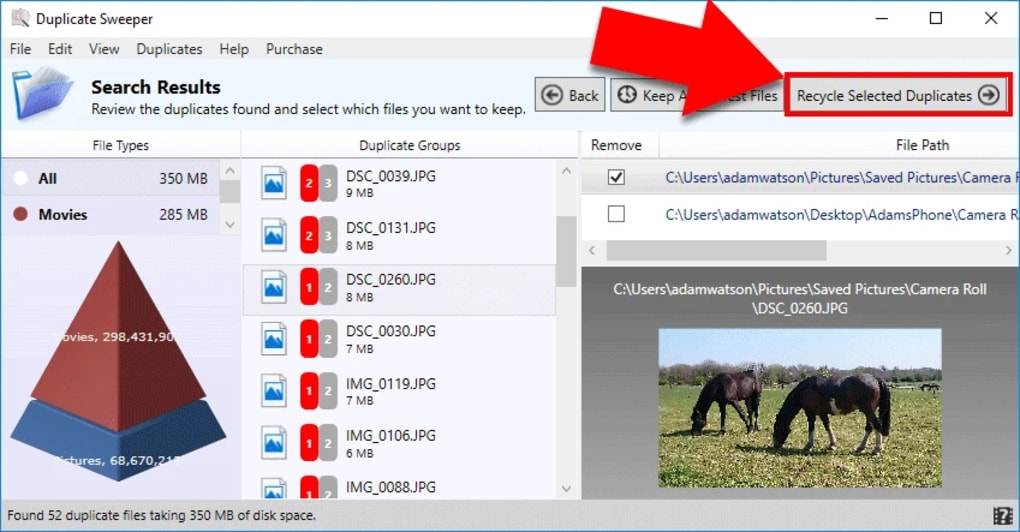
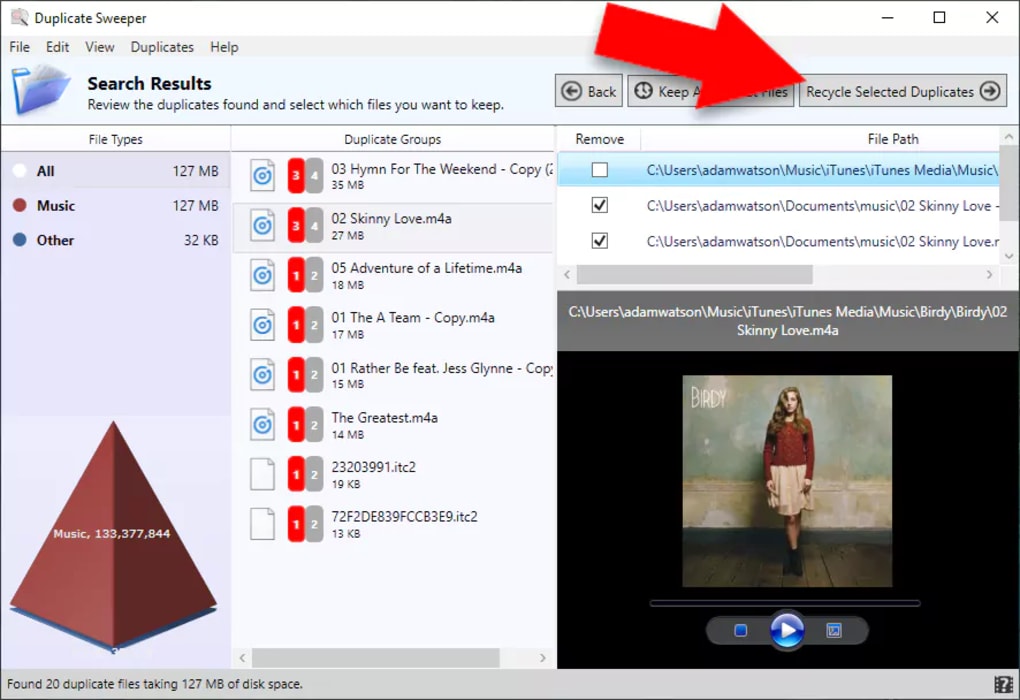
After scanning, the software presents a detailed preview of all detected duplicates. Each file is displayed with its full path, size, creation date, and a visual thumbnail (for images and videos), making it easy to verify if the files are truly duplicates. You can also compare file hashes and metadata side by side, ensuring no false positives. This preview function is especially valuable for users who want to avoid accidentally deleting important files. The trial version allows full access to this preview feature, letting you assess the software’s accuracy before committing to a purchase. This transparency builds trust and helps users make informed decisions during the cleanup process.
Additionally, Duplicate Sweeper supports multiple file types, including JPEG, PNG, PDF, DOCX, MP4, and more. It’s ideal for photographers, students, developers, and anyone dealing with large volumes of digital content. The lightweight nature of the app (only 2.4 MB) ensures it doesn’t slow down your system during scans. With a simple click, you can generate reports, export findings, or simply review the list before taking action. This level of detail and user control makes Duplicate Sweeper a standout in the file management category.
Secure & Smart File Management for Windows Users
When it comes to managing digital clutter, security and accuracy are paramount. Duplicate Sweeper understands this and has been designed with user safety in mind. The software never deletes files without your explicit confirmation. In the trial version, you can scan and preview duplicates but are unable to delete them—this limitation ensures that your valuable data remains protected during testing. Once you upgrade to the full version, you gain full control to remove duplicates safely, with options to move them to the recycle bin or permanently delete them.
Another key advantage is the software’s intelligent filtering system. It allows you to set rules based on file age, size, or location, helping you prioritize which duplicates to remove. For example, you can choose to keep the most recently modified file and delete older copies. This is especially useful when dealing with backup files or synced folders where multiple versions exist. The tool also supports batch processing, so you can select multiple duplicates at once and act on them in a single step, saving time and effort.
For users who value privacy, Duplicate Sweeper does not send any data to external servers. All scanning and analysis happen locally on your machine, ensuring your files remain private. The interface is clean and distraction-free, with clear navigation and tooltips for first-time users. Whether you're a home user looking to free up space on your C: drive or a professional managing a shared network drive, this tool adapts to your needs. With support for Windows 7 and above, it’s compatible with both older and modern systems, making it a versatile choice for a wide range of users.
Installation, Usage, and Compatibility Overview
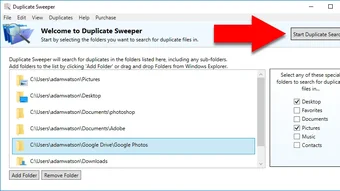
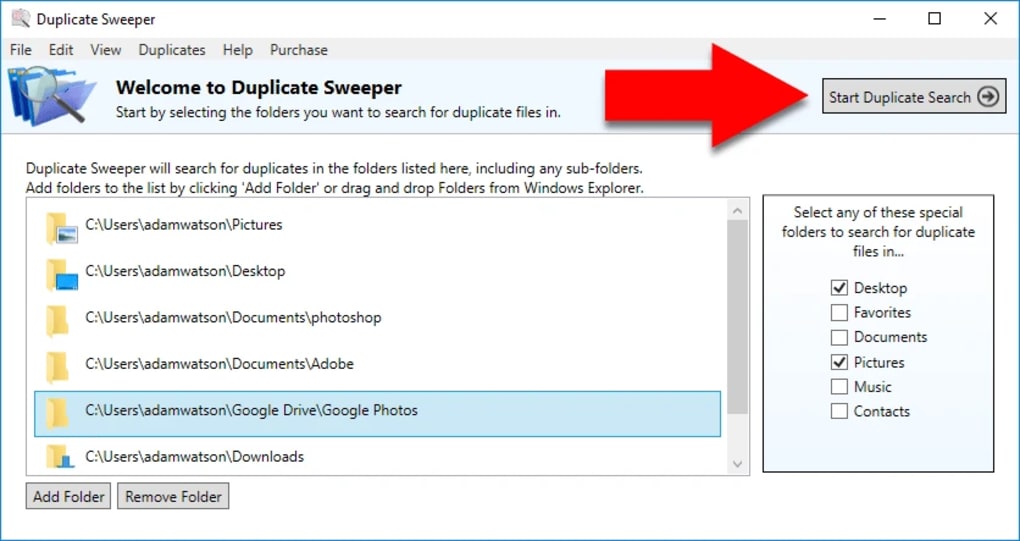
Getting started with Duplicate Sweeper is straightforward. Visit the official Softonic page, click the “Download” button, and save the installer file to your preferred location. The installation process takes less than a minute and requires no complex configurations. Once installed, launch the app from your Start menu or desktop shortcut. The first-time setup prompts you to select the drives or folders you want to scan—this step is optional, as you can also scan the entire system.
After launching, the main interface displays a simple dashboard with options to start a new scan, load a previous scan, or view settings. To begin, click “Scan” and choose your target directories. You can include or exclude specific file types (e.g., skip temporary files), adjust the scan depth, and even schedule scans for regular maintenance. The software runs efficiently in the background, using minimal CPU and memory resources, so you can continue working without interruptions.
Once the scan completes, the results appear in a categorized list. You can sort by file type, size, or date, and use the preview pane to examine each duplicate. In the trial version, you can only view and analyze—deletion is disabled. To unlock full functionality, you’ll need to purchase the full license. The app is compatible with Windows 7, 8, 10, and 11, and supports both 32-bit and 64-bit systems. It’s also optimized for both desktops and laptops, making it suitable for all Windows users. No additional software or drivers are required—just a stable internet connection for the initial download and update checks.
Pros and Cons: Is Duplicate Sweeper Right for You?
- Pros:
- Lightweight and fast—only 2.4 MB in size
- Accurate duplicate detection using file content and hashes
- Safe trial version with full preview and no deletion
- Intuitive interface suitable for beginners and experts
- Supports multiple file types and customizable scanning
- Runs locally—no data sent to servers
- Batch processing and intelligent filtering options
- Cons:
- Only available in English
- Full deletion feature locked in trial version
- No mobile version for Android or iOS
- Minimal customization for advanced users (e.g., no scripting)
- Limited customer support in trial phase
Frequently Asked Questions (FAQ)
Can I delete duplicates in the trial version?
No, the trial version of Duplicate Sweeper allows you to scan and preview duplicates, but it does not permit file deletion. This restriction ensures your data remains safe during testing. To delete duplicates, you must purchase the full license.
Is Duplicate Sweeper safe to use?
Yes, Duplicate Sweeper is safe. All scans and analyses are performed locally on your device. The software does not upload your files or personal data to any external server, ensuring your privacy and security.
Does it work on Windows 10 and 11?
Yes, Duplicate Sweeper is fully compatible with Windows 7, 8, 10, and 11, including both 32-bit and 64-bit versions. It runs smoothly on modern systems without performance issues.
Can I scan specific folders only?
Absolutely. You can choose individual drives, folders, or file types to scan. This feature is ideal for targeted cleanup without affecting other parts of your system.
Is there a Mac or mobile version?
Currently, Duplicate Sweeper is only available for Windows. There are no official versions for macOS, Android, or iOS. However, the Windows app is efficient and suitable for most users.
Final Verdict: A Must-Try Tool for Windows File Cleanup
Duplicate Sweeper stands out as a reliable, secure, and user-friendly solution for managing duplicate files on Windows. Its lightweight design, accurate detection, and safe trial experience make it a top choice for anyone looking to free up disk space and organize their digital files. While the trial version limits deletion, it offers full transparency—perfect for evaluating the software’s performance before upgrading. Whether you're a casual user or a power user managing large datasets, Duplicate Sweeper delivers consistent results with minimal hassle. If you're tired of cluttered drives and want a free, trustworthy tool to help clean up your system, download Duplicate Sweeper today and take control of your digital space.
Ready to reclaim your storage? Click below to download the free trial now!
Download Duplicate Sweeper Free TrialGuides & Tutorials for Duplicate Sweeper
How to install Duplicate Sweeper
- Click the Preview / Download button above.
- Once redirected, accept the terms and click Install.
- Wait for the Duplicate Sweeper download to finish on your device.
How to use Duplicate Sweeper
This software is primarily used for its core features described above. Open the app after installation to explore its capabilities.
User Reviews for Duplicate Sweeper 0
No reviews found





